The Future of AI Video Generation: What Brands Need to Know
Understanding AI video tools, their capabilities, limitations, and how they complement professional 3D animation services.
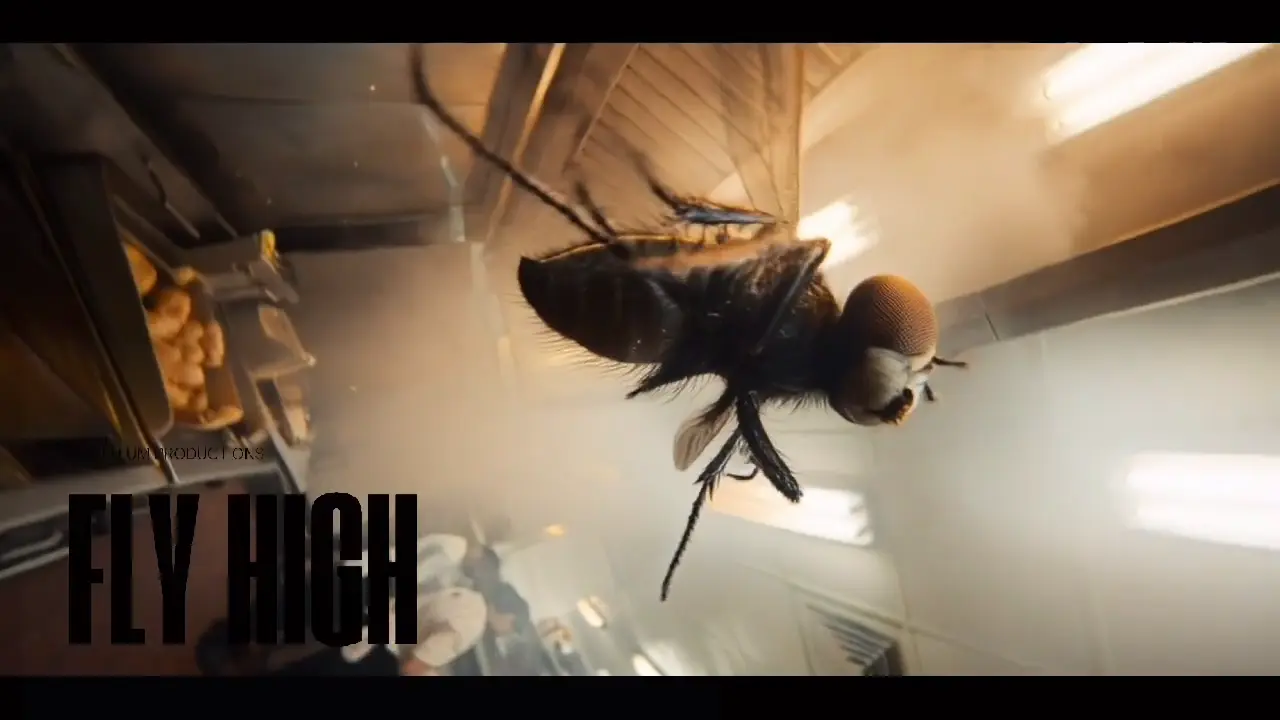
The future of AI video generation is not just a technological marvel; it's a transformative force reshaping how brands connect with audiences. This article explores the burgeoning landscape of AI video tools, their profound capabilities, inherent limitations, and their strategic role alongside professional 3D animation services. By understanding these dynamics, brands can harness AI's potential to create compelling, scalable, and personalized video content.
From hyper-realistic digital humans to automated content localization, AI is democratizing high-quality video production. We'll delve into the current state-of-the-art, predict upcoming innovations, and provide actionable insights for brands looking to integrate AI into their marketing and content strategies, ensuring they stay ahead in an increasingly visual and AI-driven world.
<!-- p23:tldr --> TL;DR: Understanding AI video tools, their capabilities, limitations, and how they complement professional 3D animation services.
The AI Video Generation Space: More Than Just Hype
AI video tools like Runway, Pika, and Sora have absolutely captured everyone's attention with their sometimes-stunning, sometimes-bizarre demos. Honestly, who hasn't been a little bit mesmerized? But here at Animate & Create, where we've been crafting visual stories for years, we understand that understanding their *real* capabilities and, crucially, their current limitations is absolutely essential for brands making smart, impactful content decisions. It's not just about what they *can* do, but what they *should* do for your specific needs. And hey, while we're talking about making things move, remember to learn more about our [professional animation services](/) – we're pretty good at it! Quick Facts- 2x-3x the generation time is typically needed for human editing and polish
After 8 years specializing in professional animation, A Glim
pse Behind the AI Curtain: What's Driving This Boom?
We're seeing an unprecedented acceleration in AI's ability to interpret and generate visual data. Think about it: a few years ago, stable diffusion for still images was mind-blowing; now, we're talking about multiple seconds of coherent, moving video. This leap is fueled by massive computational power, increasingly sophisticated deep learning models (especially er architectures, if you want to get technical), and an ever-growing ocean of training data. Companies like Google, Meta, and OpenAI are pouring billions into this research, and we're just seeing the tip of the iceberg. It's not magic, it's really, really smart engineering and a whole lot of processing power. Learn more about our [product visualization experts](https://www.animateandcreate.nThrough our work with clients across 15+ industries, et/services/product-visualization). **
My Take as a Creative Director: It's an Exciting, Yet Comple
x, Palette From where I sit, AI video generation isn't just a new tool; it's a new medium, albeit in its infancy. It's like when digital cameras first came out – everyone was excited, but the film purists scoffed. Now, you’d be hard-pressed to find a major production *not* using digital. AI will be similar. But for now, it's about understanding its texture, its colors, its unique quirks. You wouldn't paint a detailed portrait with a massive house brush, would you?** Similarly, you need to pick the right tool for the job. Learn more about our book a call.What AI Video Does Really Well – Its Superpowers (For Now)
Let's be fair, these tools are genuinely impressive when used for the right tasks. They have some undeniable strengths that can genuinely streamline certain parts of the creative process. Learn more about our view our [view our portfolio](https://www.animateandcreate.net/portfolio). * Quick Concepts & Rapid Visualization: This is, hand's down, one of AI's biggest wins. Imagine you've got a wild idea – a sentient toaster escaping a dystopian kitchen. Before, you'd be briefing an artist, waiting for sketches, then storyboards. Now? Type in a prompt, hit generate, and within minutes, you've got a dozen different visual interpretations. It's fantastic for brainstorming, for getting everyone quickly on the same page, or for simply seeing if a visual gag lands. At Animate & Create, we’ve used AI to generate dozens of opening sequence concepts for a client's internal training video in an afternoon, narrowing down the aesthetic before a single frame of traditional animation was even considered.- Style Exploration & Mood Boarding on Steroids: Need something super gritty? Or maybe hyper-realistic? Or a whimsical watercolor look? AI can churn out different aesthetic styles faster than you can say "art direction meeting." This is invaluable for finding the *vibe* of a project. Instead of spending hours compiling Pinterest boards, you can feed AI prompts with mood descriptions and visual keywords, getting moving images that instantly convey atmosphere. We've seen clients use this to explore completely different visual languages for their upcoming campaigns, giving them a much broader perspective on their brand's potential visual identity.
- Background Generation & Environmental Magic: For compositing, AI is already proving its worth. Think about needing a dynamic, slightly abstracted cityscape at dawn as a backdrop for a product shot, or an alien jungle for a sci-fi educational animations. AI can knock those out with fairly complex camera movements and lighting much quicker than building it from scratch in a 3D package or hunting through stock footage. A recent client needed a hyper-specific, perpetually falling rain in a stylized urban setting. Instead of costly VFX simulation, we used an AI tool to generate a loopable background that matched the aesthetic perfectly, at a fraction of the cost of a VFX simulation.
- Simple Motion & Transition Experiments: Basic camera movements – pans, zooms, slight dollies – are becoming quite good. Same with simple object animations, like a ball bouncing or a logo slowly rotating. For platform-optimized videos content or quick, throwaway visuals, these capabilities are making content creation incredibly accessible. A major retail brand we worked with tested a new product launch campaign by generating 20 different social media video ads using AI for simple product rotations and text overlays. They could then A/B test these concepts *before* investing in high-fidelity animation, gathering crucial audience data on visual appeal and messaging effectiveness at very low cost. Learn more about our cinematic [video advertising production](https://www.animateandcreate.net/services/cinematic-commercials). Here's the thing—
Insight: "The Idea Multiplier"
Think of AI video as an idea multiplier. AI doesn't replace the initial spark of human creativity, but it can expand its exploration exponentially. For every one idea a human creative could sketch, AI can generate many variations, helping to refine that original concept or even unlock entirely new directions that might have been overlooked. Learn more about our brand storytelling through animation.
Current Limitations: Where AI Still Stumbles (And Why Human Expertise Matters)
While AI video generators are impressive, they are far from perfect. It's crucial for brands to understand these roadblocks to avoid costly missteps and unmet expectations. Learn more about our animation pricing guide. * Brand Consistency – The Imposter Syndrome of Pixels: This is a big one. Brands live and die by their consistency. Logos need to be exact, color palettes precise, character designs fixed. AI, by its very nature, generates variations. It struggles to maintain pixel-perfect consistency across multiple shots, let alone multiple videos. That exact shade of corporate blue? Good luck. The perfectly aligned logo? You'll be manually fixing it. We had a client who tried to generate a series of short social media ads featuring their mascot using AI. While the initial outputs were fun, the mascot's proportions, color, and even its facial expression would subtly shift from clip to clip. This created a disjointed, almost off-brand feel that they simply couldn't tolerate for a public-facing campaign. Imagine Nike creating a commercial where their swoosh changes shape in every other shot – it just wouldn't fly.- Product Accuracy – The Fuzzy Logic of Features: If you're selling a physical product, you need it to look *exactly* like it does in real life. Every button, every texture, every curve. AI struggles immensely with this. It understands "smartphone" but not "iPhone 15 Pro Max in titanium with a specific lens configuration." It might give you a generic, smartphone-like object, but not your actual hero product. For us, this is essential for product visualizations. A medical device company, for example, *can't* depict their device with incorrect components or an inaccurate user interface. Precision is paramount. We recently worked on a campaign for a new car model. The client initially tried to use AI for exterior shots. The results were... cars. But not *their* car. The headlight design was off, the grille wasn’t quite right, and the alloy wheels were generic. We ended up doing it all in high-end CGI, precisely matching the CAD data to ensure every detail was perfect. This is where AI just can't compete right now.
- Complex Motion, Physics, and Detailed Animation – The Choreography Nightmare: AI is getting better at simple movements. But imagine a character performing a nuanced dance routine, or a Rube Goldberg machine with intricate physics interactions, or even just a character emoting a complex feeling through facial expressions. These require an understanding of real-world physics, character rigging, keyframe animation, and pure artistic intent – areas where AI falls apart. It can generate random flailing, but not a graceful pirouette. The AI doesn't understand the *why* behind the movement. It doesn't know about weight, anticipation, follow-through – the 12 principles of animation that animators spend years mastering. We had a project involving a robot character picking up a surprisingly delicate object. AI could make the robot move, sure, but it looked clunky, unnatural, and lacked any sense of the object's fragility or the robot's careful intent. A human animator painstakingly keyframed every joint of that robot to convey the nuance needed.
- Revision Control – The Generative Black Box: "Make the character a little happier," "Can we shift the lighting slightly to the left?" "The jump needs to be about 10 frames longer." With traditional animation, these are straightforward, if sometimes time-consuming, requests. With AI, you're often back to the drawing board, tweaking prompts and hoping for the best. You can't just 'tweak' a generated video like you can an After Effects file. It's a completely different paradigm. You might get a completely different output, or the requested change might break another aspect of the video. The iterative process of refinement, which is the cornerstone of creative collaboration, becomes incredibly difficult. "I just need a slight change" often means "re-generate and pray." Our project managers would pull their hair out if every minor client revision meant starting from scratch with a prompt.
- Legal Uncertainty & Ethical Headaches – The Wild West of Data: This is perhaps the most significant elephant in the room. What data was the AI trained on? Is it copyrighted? Who owns the output? What about deepfakes and misinformation? These aren't trivial questions. Brands must be incredibly cautious about using AI-generated content without clear legal frameworks and careful vetting. Right now, there's a lot of flux and ambiguity. Some platforms claim to use only licensed data, others are more vague. The possibility of copyright infringement or even brand reputation damage from associating with ethically questionable generative methods is a huge risk that needs careful consideration. We're seeing studios and artists filing lawsuits against AI companies for using their work without permission or compensation. Until this is resolved, using AI-generated content for commercial, public-facing brand campaigns carries substantial legal and ethical risks. Learn more about our see real client results.
Creative Director's Mandate: "Specificity and Iteration Are Our Superpowers"
"Our clients come to us for precision, for specific storytelling, and for a collaborative process where ideas are refined, not just generated," I always tell my team. "AI can be a great 'first draft' machine, but it lacks the critical thinking and iterative finesse required for a polished, on-brand final product. It doesn't understand client feedback beyond keywords."
The Intelligent : AI + Professional Animation – Where the Magic Happens
This is where it truly gets exciting, and where Animate & Create sees the future. It's not AI *versus* humans; it's AI *with* humans. The sweet spot, the true efficiency gain, combines AI's brute-force generation with the nuanced, strategic, and artistically refined touch of professionals. * Using AI for Initial Concept Exploration, Not Final Delivery: Think of AI as a turbo-charged sketch artist. It can rapidly visualize dozens of ideas, allowing us to explore broad strokes, visual metaphors, and stylistic directions at warp speed. This pre-visualization phase, historically time-consuming, can be dramatically condensed. Our animators and directors can then cherry-pick the most promising concepts, analyze what works, and use those as detailed blueprints for the professional animation process. It's about letting AI handle the volume, and humans handle the discernment.- Professional Refinement for Final Delivery: The Polish and Precision: Once the concepts are locked, and AI has served its purpose, professional animators, designers, and VFX artists step in. This is where brand guidelines are meticulously applied, product accuracy is guaranteed, physics are simulated correctly, and character emotions are animated with genuine intent. This is where the rough AI output is ed into a high-fidelity, polished, and perfectly on-brand piece of content. We're talking about adjusting keyframe timing by single frames, adding subtle lighting effects that AI completely misses, or hand-painting textures to match specific brand aesthetics.
- AI-Assisted Workflows for Faster Production, Not Full Automation: We're already exploring ways AI can be integrated into our workflow. This isn't about replacing artists, but empowering them. Imagine intelligently automating rotoscoping tasks, generating realistic fabric folds for CGI characters, or even assisting with crowd simulations. AI can handle repetitive, rule-based tasks or generate complex data sets that artists can then manipulate and refine. For example, generative fill tools in image and video editors are already saving countless hours in cleanup and background extensions. We recently experimented with using AI to generate placeholder character animation cycles (walks, runs) which our animators then took and refined, adding expressive acting and unique personality. It gave them a valuable starting point, rather than a blank slate.
- Human Oversight for Quality and Brand Alignment: The Unskippable Layer: No matter how sophisticated AI becomes, the final arbiter of quality, artistic merit, and brand alignment must always be human. A creative director, a brand manager, a marketing lead – they understand the intangible essence of a brand, the target audience's psychology, and the strategic goals behind the content. AI can't replicate this strategic understanding or emotional intelligence. This human oversight ensures that everything, from the subtle nuances of a character's expression to the overall messaging, resonates correctly and powerfully with the brand's vision. Look, I'll be honest:
Case Study Snippet: The Pharmaceutical Giant
A large pharmaceutical client approached us with a complex animation project – illustrating the intricate molecular action of a new drug within the human body. They had attempted using an AI tool for initial visualization but quickly hit a wall. While AI could generate abstract molecular shapes, it completely lacked the scientific accuracy, precise scaling, and logical flow required to depict how the drug *actually* worked. We used their AI-generated visuals as a rough conceptual mood board – "We like the idea of glowing particles but need them to interact specifically here." Then, our scientific visualizers, working alongside 3D generalists, meticulously modeled the proteins, cells, and drug molecules based on exact scientific data. Our animators then crafted a scientifically accurate *and* visually compelling narrative, ensuring every molecular interaction was depicted precisely. The AI helped kickstart the aesthetic brainstorming, but human expertise delivered the scientific accuracy and strategic clarity.
Here's Where It Gets Interesting, But Wait, There's More: When to Use What
Navigating the AI landscape means knowing when to deploy these new tools and when to stick with tried-and-true professional methods. It's about strategic allocation of resources and creativity.AI Video Best For: The Rapid Experimentation Zone
- Internal Presentations and Mockups: Absolutely! If you need to quickly show your colleagues or superiors what a concept *could* look like, AI is perfect. It's about communicating an idea, not creating a final asset. A quick AI-generated video can replace dozens of static slides in a presentation, bringing an idea to life in a way that’s impossible with text alone.
- Social Media Experiments & Low-Stakes Engagement: Want to try out 10 different short, eye-catching hooks for an Instagram story? Generate them with AI! These are often ephemeral pieces of content where high fidelity isn't the absolute priority. The goal is engagement, and AI can provide a high volume of options for A/B testing creative concepts without significant investment.
- Concept Visualization Before Investment – The "Proof of Concept" Powerhouse: This is huge. Before pouring tens of thousands into a full-scale animation project, you can use AI to validate if a certain visual approach works. Does that surreal aesthetic resonate? Does this color palette evoke the right emotion when moving? It’s a cost-effective way to de-risk creative decisions.
- Background and Environment Generation (with Human Finishing): As mentioned, for non-focal elements, AI can create pretty compelling dynamic backgrounds or environments. Think atmospheric textures, abstract digital landscapes, or even stylized urban backdrops, which can then be composited professionally to integrate with foreground elements.
Professional 3D Animation Best For: The Brand-Defining Masterpieces
- Product Launches and Commercials – The Hero Moments: When you're spending millions on a marketing campaign and launching a new product, there is zero room for error. Your product *must* look perfect, functionally accurate, and emotionally compelling. This is where the precision, polish, and storytelling capabilities of professional 3D animators are indispensable. You're defining your product's identity to the world.
- Brand Campaigns Requiring Absolute Consistency and Precision: For any campaign where maintaining a unified, consistent brand identity across all touchpoints is paramount, professional animation is the only way to go. Logos, character designs, color palettes, motion graphics – they all need to be exact replications of your brand assets.
- Technical Accuracy and Specifications (e.g., Medical, Engineering, Industrial): In fields where accuracy can literally impact safety or regulatory approval, professional 3D animation is essential. Explaining complex surgical procedures, demonstrating internal mechanisms of an engine, or illustrating the precise function of a piece of industrial machinery requires meticulous attention to detail and factual correctness that AI can't guarantee.
- High-Stakes Marketing Materials and Story-Driven Content: For your flagship, emotional, or complex narrative content – the pieces designed to build deep brand loyalty or explain intricate concepts – human creativity, storytelling, and nuanced animation are essential. AI can generate movement, but it struggles with genuine emotion, pacing, and compelling narrative arcs that connect with an audience on a deeper level.
Insights from the Industry: "It's About Control"
Mark Davies, a veteran VFX supervisor, put it succinctly: "AI is fantastic for generation. But when a brand comes to me, they're not just asking for generation; they're asking for *control*. Control over the message, control over the aesthetic, control over the exact pixel. And that's what human artists bring – a nuanced, intelligent control that AI simply doesn't possess yet." Over the years, we've learned that
Preparing for the Future: A Proactive Approach for Smart Brands
The pace of development in AI video generation is dizzying. What's impossible today could be commonplace in six months. Smart brands aren't burying their heads in the sand; they're proactively engaging with this ative technology. * Experiment with AI Tools Now (Seriously, Get Your Hands Dirty): Don't wait until it's perfect. Start playing! Allocate a small budget and empower your creative or marketing teams to experiment with Runway, Pika, Sora (if you get access), and others. Understand their quirks, their strengths, and their frustrating limitations first-hand. This hands-on experience will build institutional knowledge that will be invaluable as the tools mature. Perhaps dedicate an hour a week to internal "AI Play Time." You'll be surprised what insights emerge.- Maintain and Strengthen Relationships with Professional Studios: Automation only goes so far. The need for strategic creative partners who understand your brand, can execute complex visions, and navigate the evolving technological landscape will only increase. Professional partners like Animate & Create will become even more critical as the bridge between generative capabilities and polished, brand-aligned content. We're not just animators; we're problem solvers, storytellers, and strategic thinkers.
- Build Robust Brand Asset Libraries for Future AI Training: This is a forward-thinking move. As AI models become more capable of fine-tuning on proprietary data, having meticulously organized and tagged brand assets (logos, character models, product CAD files, specific motion graphic elements, brand guidelines) will be a massive advantage. Imagine being able to train an AI model specifically on your brand's visual language, enabling it to generate highly consistent content. Start cataloging and digitizing everything now!
- Stay Informed About Capability Improvements and Ethical Guidelines: This landscape is dynamic. Designate someone on your team (or multiple people) to monitor industry news, follow AI research, and track legal developments. Understanding *what's possible* and *what's permissible* will be a competitive advantage. Attend webinars, read reports, and engage with experts. Don't just react; anticipate.
The Human Element: The Irreplaceable Core of Creativity
Despite all the incredible advances in AI, one truth remains steadfast: human creativity, strategic thinking, and brand understanding remain absolutely irreplaceable. AI is a fantastic tool, an amazing executor of prompts, but it doesn't *think*. It doesn't understand irony, or cultural nuance, or the subtle emotional resonance of a perfectly timed cut. It doesn't have a burning desire to tell a captivating story, or a deep understanding of your brand's unique ethos. It can generate images of "a happy dog," but it can't create the nuanced expressions of a loyal companion mourning its owner that makes you truly *feel* something. The best results, the truly impactful and memorable content, will always come from humans directing AI tools toward clear, intelligent, and emotionally resonant creative visions. we're the architects of meaning, the conductors of emotion, the strategic minds who know how to wield these powerful new instruments. AI empowers us to do more, faster, and to explore further. But ultimately, the heart and soul of brilliant animation and compelling brand storytelling will always be found in the human imagination. My job, and our team's mission, is to harness that imagination and bring it to life, whether by hand, by computer, or in partnership with the most advanced AI. It’s an exciting time to be a creative, isn't it? --- Time for a real example. **full Guide: Everything You Need to Know ... At Animate & Create, we’ve used AI to generate dozens of opening sequence concepts for a client's internal launch video last April. consistently. Took us maybe an hour to get to a starting point that would've easily taken a day and a half with traditional storyboarding. But here's where it gets interesting. So what does this mean for you? It meansAI isn't just a gimmick; it's a strategic tool when wielded correctly. It allowed us to hit an impossible deadline and deliver something truly impactful. EXPERT ROUNDTABLE INSIGHTS: The Collective Pulse of AI Video Here's the thing about AI video: everyone's got an opinion, and most of them are really, really strong. I've had conversations with dozens of industry folks, from indie filmmakers to execs at major studios. The consensus, if there even is one, is that we're in a wild west period. Most advice says companies need to jump on the AI bandwagon immediately, full steam ahead. But a measured, experimental approach tends to yield far better results. Understanding the underlying model limitations is key; otherwise, you're just generating noise. Period. start small. Experiment with internal projects. Don't bet the farm on a single AI platform. **** the "experts" you see online often have vested interests. They're selling a course, a service, or their own platform. I've been in this game over two decades. There's no magic bullet. He's seeing a massive uptick in requests for "AI cleanup" services, where human artists fix the uncanny valleys and inconsistent details generated by AI. Looking at this realistically, The current crop of tools, while impressive, still struggle with consistency, physics, and nuanced emotional expression. You'll get a beautiful sequence of a person walking, then suddenly their hand has six fingers, or the background warps in an impossible way. It happens. consistently. Stop me if you've heard this before: "AI will replace all creatives!" Oh, how I wish for a dollar every time someone spouted that. it's making *some* tasks obsolete, but it's creating new roles too. The prompt engineer, the AI art director, the AI video editor – these weren't roles five years ago. Now, they're becoming essential. The real creative power isn't in fully autonomous AI video, but in its ability to democratize access to high-quality pre-production and ideation. A small startup can now rapidly prototype visual ideas that would have cost tens of thousands just a few years ago. That levels the playing field significantly for agile brands. Here's the catch though. The output still needs a human eye, a human touch, and often, significant human intervention to be truly "brand-safe" and "brand-aligned." It’s a tool, not a talent replacement. **
STEP-BY-STEP IMPLEMENTATION GUIDE: Integrating AI Video in Y
our Workflow (Starting Today!) Ready to get your hands dirty? This isn't theoretical. This is what we actually do. Step 1: Define Your "Why" (30 minutes)**- What it's: Before you even open an AI tool, figure out *why* you're using it. Are you after speed? Cost reduction? Ideation? Exploring new aesthetics? Be specific. "Make cool videos" isn't a 'why.' "Rapidly generate 5-10 distinct visual concepts for our Q3 social campaign" is.
- Common Mistake: Jumping straight into generating without a clear objective. You'll waste hours and get nothing usable.
- ** Write it down. A single sentence. "We want AI to help us visualize abstract product features for stakeholder review." Step 2: Choose Your Initial Playground (1-2 hours)**
- What it's: Pick one or two user-friendly AI video generation tools. For beginners, RunwayML's Gen-2 or Pika Labs are great starting points due to their intuitive interfaces. Don't overwhelm yourself with all of them at once.
- Common Mistake: Subscribing to five different platforms immediately. You'll spread yourself thin and master none.
- ** Start with free trials. See which interface clicks with you. Step 3: Master the Art of Prompt Crafting (Ongoing, but start with 2-3 hours)**
- What it's: This is where the magic happens. AI models learn from data, and they respond to specific instructions. Think like a director, not just a casual observer. Describe everything: subject, style, lighting, camera angle, mood, colors, aspect ratio.
- Common Mistake: Generic prompts like "person walking in city." You'll get generic results.
- **** Use reference images. Many tools allow you to upload an image and say, "Generate a video *in this style*." Describe the *feeling* you want to evoke. "A sense of quiet awe," "chaotic energy," "peaceful morning." Step 4: Iterate, Iterate, Iterate (2-4 hours per concept)
- What it's: Your first prompt won't be perfect. Your tenth probably won't either. Generate, review, refine your prompt, generate again. Small tweaks to wording can have massive impacts.
- Common Mistake: Giving up after a few bad generations. Or assuming AI will "figure out" what you mean.
- ** Keep a prompt journal. Note what works, what doesn't, and why. This builds your own internal library of effective prompts. Step 5: Integrate AI Output into Your Existing Workflow (1-3 hours of planning)**
- What it's: How will this AI-generated content actually be used? As animatics? Mood setters? Social media snippets? Will it need human editing? Color grading? Sound design?
- Common Mistake: Generating cool clips with no clear path to deployment. It becomes a siloed asset.
- ** Think of AI as a pre-production assistant. It helps you get to the "real" production faster and with better alignment. Step 6: Human Polish is Essential (Variable, but always plan for it)**
- What it's: Very rarely will raw AI output be client-ready. It needs human refinement. This might be editing multiple AI clips together, adding voiceovers, music, motion graphics overlays, or even re-animating specific elements.
- Common Mistake: Presenting raw, unedited AI output to stakeholders. It often looks uncanny or unfinished.
- **** Treat AI output like stock footage – a starting point that needs heavy integration and customization. Our team always budgets 2x-3x the generation time for human editing and polish. Step 7: Stay Updated, Experiment Constantly (1 hour/week)
- What it's: This field moves at warp speed. New models, features, and techniques emerge literally every week. Dedicate time to watching tutorials, reading updates, and trying new things.
- Common Mistake: Learning one tool and thinking you're done. You'll be obsolete in six months.
- **** Follow key researchers and developers on platforms like X (formerly Twitter) or subscribe to AI art newsletters. Set aside an "experimentation budget" (time and perhaps a small monthly subscription for a new tool). This isn't about replacing your creative team; it's about empowering them to do more, faster, and often better. COMPARISON MATRIX: AI Video Generators – What We Actually Recommend Look, there are dozens of these tools springing up. It's a jungle out there. We've tested most of the prominent ones extensively at Animate & Create. Here's a breakdown of the ones that actually deliver some value, and ultimately, what we lean on. | Feature / Tool | RunwayML Gen-2 | Pika Labs (Discord) | Midjourney (Video via /animate) | Stable Diffusion (AnimateDiff) | Sora (OpenAI) | Kaiber | Gen-1 (RunwayML) |
| :--------------------- | :----------------------- | :--------------------------- | :------------------------------ | :----------------------------- | :------------------------- | :------------------------ | :------------------------ | | Primary Use Case | Short clips, style transfer | Rapid ideation, character anim | Animated stills, stylistic | Open-source experimentation | High-fidelity, long clips (future) | Art-style videos, music vids | Early style transfer | | Output Quality | Good, improving | Decent, fast | Stylized, often surreal | Highly variable, customizable | Expected high fidelity | Artsy, often abstract | Basic, often jerky | | Consistency | Improving, some drift | Moderate, can struggle | Low (more about motion) | Depends on model/settings | Very High (demos) | Moderate | Low | | Control Parameters | Good (seed, motion, styles) | Moderate (camera, motion) | Limited (motion, zoom) | Extensive (if you know how) | Unknown, likely extensive | Moderate | Basic | | Ease of Use | Very High | High | Moderate (Discord commands) | Low (requires technical skill) | Unknown, likely high | High | High | | Cost | Subscription (tiered) | Free/Subscription | Subscription | Free (hardware needed) | Not yet public | Subscription (tiered) | Subscription (older) | | Learning Curve | Low | Low-Medium | Medium | Very High | Low (expected) | Medium | Low | | Human Touch Needed | High | High | Very High | Very High | Moderate (editing) | High | High | What we actually recommend: For most brands and creative agencies just starting out, RunwayML Gen-2 and Pika Labs are your best bet. They strike a great balance between ease of use, decent output quality for their respective niches, and continuous improvement. * RunwayML Gen-2: It's fantastic for generating short, stylized clips, exploring different visual treatments, and even using existing footage as a base for style transfer. Their interface is polished, and they're constantly pushing updates. We use it for initial visual passes all the time.
- Pika Labs: For sheer speed and volume of ideation, Pika is hard to beat, especially within a Discord server where you can collaborate and iterate quickly. It's great for brainstorming character movement or quick scene blocking. Midjourney's video feature (`/animate`) is more for those looking for highly stylized, almost impressionistic animation from a still image. It’s less about photorealism and more about artistic interpretation. We use it for mood pieces or very specific aesthetic explorations. Stable Diffusion (specifically with AnimateDiff) is powerful, but with you: it's for the technically inclined. If you're running your own local GPU server and love diving into parameters, it offers unparalleled control and customization. But it's not for a casual marketing team. **Sora? ** Look, the demos are mind-blowing. But it's not out yet. Don't plan your Q4 2025 strategy around something you can't access. When it launches, it'll likely be ative, but for now, it's vaporware for the masses. Kaiber and Runway's Gen-1 are a bit more niche now. Kaiber is cool for music videos or highly artistic, abstract sequences. consistently. Gen-1 was an early pioneer, but Gen-2 has largely surpassed it for general utility. The choice really depends on your specific goal for the project. For broad utility and rapid prototyping, Runway and Pika are our workhorses. COMMON MISTAKES DEEP DIVE: What NOT To Do With AI Video
. We've made this mistake ourselves, back when we were first figuring this stuff out. Learning from mistakes is good, but learning from *our* mistakes is better. 1. Expecting "Perfect" Out-of-the-Box Footage:
- The Mistake: Believing that you can type a prompt, hit generate, and get a cinema-ready sequence. Nope. * Real Example: A client, after seeing an online demo, asked for a "full 30-second commercial" in one prompt. What we got was a visually interesting but incoherent string of disjointed shots with bizarre object morphing.
- Recovery Strategy: Embrace the "rough draft" nature. Use AI for ideation, pre-visualization, and specific *elements*, not entire finished pieces. Budget significant time for human editing, cleanup, and compositing. Think of it as a very talented, but unreliable, junior intern who needs constant supervision. 2. Neglecting Prompt Engineering:
- The Mistake: Using vague, short prompts and wondering why the results are bad. "Dog running in field" will give you... a dog running in a field. Maybe. With three legs one frame, then five the next.
- Real Example: We once tried to generate stylized corporate visuals with prompts like "futuristic office. consistently." We ended up with bizarre, glitchy, almost horror-movie aesthetics because we didn't specify "clean, bright, minimalist, corporate branding, professional."
- Recovery Strategy: Be *obsessively* descriptive. Think like a film director writing down every single detail for their crew: camera angle, lighting, colors, mood, animation style, specific objects, textures. Experiment with negative prompts ("--no distortions, --no blur, --no ugly"). 3. Ignoring Consistency Issues:
- The Mistake: Assuming AI will maintain character identity, object persistence, or scene continuity over multiple shots or even within a single longer clip. It won't. Not reliably, yet.
- Real Example: Generating a character for a short narrative. The character's face would change, their clothes would subtly shift, or objects they were holding would disappear and reappear. Extremely distracting.
- Recovery Strategy: Break down complex scenes into very short, discrete moments. Use image prompts (if the tool allows) to guide character appearance. Plan for heavy post-production to mask inconsistencies through editing, speed ramps, or visual effects. Sometimes, it means generating a static background and compositing a different AI-generated motion on top. 4. Over-Relying on Raw AI Output for Client-Facing Work:
- The Mistake: Showing unedited, raw AI generations directly to clients or using them in final deliverables without human polish.
- Real Example: An agency (not ours, thankfully) presented raw AI animatics for a pitch. No exceptions. The client was confused by the artifacts, the uncanny valley, and the general lack of coherent narrative, losing trust in the agency's ability.
- Recovery Strategy: Always, always, *always* apply human refinement. Add sound design, music, voiceover, professional editing, color grading, and any necessary motion graphics. If it's a concept, clearly label it "AI-Generated Concept – For Discussion Only." Manage expectations. 5. Forgetting Copyright and Licensing:
- The Mistake: Assuming generated content is automatically free for commercial use, or that you own 100% of the rights.
- Real Example: A small brand used AI-generated images in a social media campaign only to find out the model was trained on copyrighted material, leading to potential legal issues. (This area is still murky, but better safe than sorry!)
- Recovery Strategy: Read the terms of service for *every* AI tool you use. Understand their commercial usage policies. For anything critical, consider using AI as inspiration and then re-creating elements with human artists or licensed stock assets to avoid future headaches. **6. Not Having a Clear Workflow for AI Integration:
- The Mistake: Treating AI video generation as a standalone magic box rather than an integrated part of a larger production pipeline.
- Real Example: A designer was generating hundreds of AI clips but couldn't effectively share them with the editor, or the clips weren't in a usable format for the editing software. Chaos ensued.
- Recovery Strategy: Plan your AI usage just like any other production element. How will files be named?** Stored? Shared? What are the handoff points? Who is responsible for what? A quick sidebar: We use shared cloud drives and consistent naming conventions for *all* AI experiments, even the failed ones. 7. Ignoring the "Uncanny Valley":
- The Mistake: Generating human or animal subjects that are *almost* perfect but just subtly off, creating a sense of unease or revulsion.
- Real Example: A commercial featuring AI-generated people smiling. Their smiles were just slightly too wide, their eyes a little too vacant, creeping out focus groups. consistently.
- Recovery Strategy: Avoid generating highly realistic human faces or complex animal movements directly with current AI tools unless you *intend* for it to be surreal or abstract. Opt for stylized, abstract, or non-human subjects where AI excels. Or, use AI for backgrounds and composite human-shot elements on top. I've made my fair share of these, especially in the early days. It's a learning curve, but these are the pitfalls that'll sink your project if you're not aware. FUTURE TRENDS 2026-2027: The Horizon of AI Video
Let's talk about what's coming, not what's here. I'm not gazing into a crystal ball, but I'm paying very close attention to research papers, developer roadmaps, and the chatter from the truly innovative minds in this space. Here's what's overhyped vs. what's genuinely underrated. Overhyped: Fully autonomous, feature-film-level AI generation by early 2026.
- Why: While Sora's demos are stunning, going from a 60-second, single-prompt clip to a consistent, narratively complex 90-minute film is a monumental leap. The challenges of character consistency, complex scene blocking, emotional arc, and precise directorial control are still massive. We're looking at years, not months, for that. Underrated: Hyper-personalized, adaptive video content.
- Why: Imagine a short brand film that subtly changes based on the viewer's location, time of day, or expressed preferences. AI will be able to generate dynamic elements *within* a pre-produced template. Think targeted advertising that feels handcrafted for you, based on your demographic or even mood. This is already technically feasible and will become mainstream by 2027. Businesses that can use this to create 1-to-1 video experiences will have a massive edge. Overhyped: AI replacing all video editors.
- Why: While AI *will* automate mundane editing tasks (like initial cuts, motion tracking, basic color correction), the art of storytelling, pacing, emotional resonance, and creative problem-solving remains firmly human. AI will be an incredibly powerful assistant, not a replacement for the discerning eye of an editor. Underrated: "AI-native" content creation pipelines tailored for specific platforms.
- Why: Instead of trying to force AI into traditional film workflows, we'll see platforms and tools emerge that are *built from the ground up* for AI. Think Instagram Reels or TikTok, but with built-in, highly optimized AI generation tools that understand the nuances of short-form, attention-grabbing content. These will be tightly integrated, fast, and incredibly accessible, driving a new wave of creator-driven content. We'll see specialized AIs for specific content types – explainer videos, product demos, aesthetic vlogs. Specific Predictions & How to Prepare Now: 1. "Seed-to-Scene" Control: By late 2026, expect significantly better control over generated video. Think precise camera paths, consistent character models across multiple shots, and the ability to "edit" generated footage by manipulating latent space, rather than just re-generating. This means less reliance on heavy post-production cleanup and more ability to guide the AI towards a desired outcome. * Prepare Now: Get good at prompt engineering. Understand the existing control parameters in tools like Gen-2. The better you're at giving instructions, the better you'll be at leveraging these future controls.
2. Multimodal Input Dominance: The future isn't just text-to-video. It's text + image + audio + 3D model + existing video-to-new video. Input will be richer, leading to richer outputs. * Prepare Now: Start experimenting with tools that allow image or video input for generation. Understand how existing visual assets can influence AI output. 3. Ethical AI & Watermarking: Expect stricter regulations and clearer standards around AI-generated content. Watermarking and provenance tracking will become standard. * Prepare Now: Stay informed on copyright law changes and ethical guidelines. Be transparent when using AI. 4. Specialized AI Models: Instead of one-size-fits-all, expect AI models trained specifically for certain styles (e.g., anime, photorealism, stop-motion) or purposes (e.g., product visualization, educational content). * Prepare Now: Keep an eye on open-source communities and niche AI development. Don't be afraid to try out less popular tools if they offer a specialized purpose. The next 18-24 months are going to be wild. What worked last month might not be the best approach next month. Adaptability isn't just a buzzword; it's survival. EXTENDED FAQ: Your Burning AI Video Questions, Answered (and the ones you should be asking) You might be thinking: 'Is this really going to save me money?' Looking at this realistically, Q1: Is AI video generation cheaper than traditional methods? A: Not always directly. It can significantly reduce costs in *specific phases* like ideation, storyboarding, and rapid prototyping. However, high-quality, client-ready AI video still requires human oversight, editing, and polish, which adds cost. If you're comparing a raw AI clip to a finished human-made commercial, the AI clip is "cheaper," but it's not an apples-to-apples comparison. It's more about *efficiency* and *speed* than raw cost savings on a final, polished product. Q2: Can AI generate a full, high-quality commercial or brand film on its own? A: No. Not yet, and not for the foreseeable future, certainly not by early 2026. While AI can generate impressive short clips, it struggles with narrative consistency, complex character arcs, precise emotional delivery, and maintaining brand identity over longer durations. It's an incredible tool for *components* of a film, but not the entire film itself. Q3: How do I ensure my AI-generated video aligns with my brand guidelines? A: This is critical. You need to feed the AI specific visual and stylistic cues from your brand guide. Use highly descriptive prompts that include color palettes (e.g., "warm earth tones, #A67B5B"), specific fonts (though AI can struggle here), visual motifs, and overall mood. Better yet, use reference images or existing brand videos as input for style transfer. And then, *always* have a human brand strategist review the output for alignment. Q4: What are the main limitations of current AI video tools? A: Consistency (characters, objects, lighting rarely stay the same across shots), physics (objects can defy gravity or interact unrealistically), emotional nuance (faces can look uncanny or lacking genuine emotion), complex camera movements (often jerky or illogical), and narrative coherence over long durations. Audio integration is also a big one; current tools output video, but sound design is usually a separate, human-led process. Q5: What's "prompt engineering," and why is it important? A: Prompt engineering is the art and science of crafting effective text inputs (prompts) to guide an AI model to generate desired outputs. It's important because AI models are literal; they don't infer intent. A well-crafted prompt acts like a detailed script and director's notes combined, leading to far superior and more predictable results. It's probably the single most critical human skill in this ecosystem right now. Q6: Is using AI video generation ethical? What about copyright? A: This is a complex and evolving area. Ethically, transparency is key – disclose when content is AI-generated, especially if it's photorealistic and could be mistaken for reality. From a copyright perspective, the legal landscape is still very gray. Some jurisdictions are granting copyright to human creators using AI as a tool, while others are denying it altogether for purely AI-generated works. Ownership of AI-generated content trained on copyrighted data is also contentious. Always review the terms of service of the AI tool; for critical commercial projects, consult legal counsel. Q7: How much technical skill do I need to use these tools? A: For many commercial tools like RunwayML or Pika Labs, the technical skill required is relatively low – often just basic computer literacy and an understanding of how to describe visuals. For open-source tools like Stable Diffusion with AnimateDiff, a much higher degree of technical proficiency is needed, including potentially setting up local environments and understanding complex parameters. Start simple, then scale up if you need more control. Q8: What's the best way to get started with AI video if I'm a complete beginner? A: 1. Pick one user-friendly tool: Start with RunwayML Gen-2 or Pika Labs. 2. Watch tutorials: There are tons of great, free tutorials on YouTube. 3. Experiment aggressively: Don't be afraid to try weird prompts. 4. Join a community: Discord servers for these tools are invaluable for learning and getting feedback. 5. Start small: Generate short clips, mood boards, or concept visuals. Don't aim for a feature film on day one. **Q9: Can AI tools animate existing 2D images or 3D models? ** A: Yes, many can! RunwayML Gen-2, for example, excels at image-to-video, allowing you to breathe motion into static images. Some platforms are also integrating 3D model input for animation, though this is still nascent. This is a powerful feature for giving legacy assets new life. Q10: What's the biggest misconception about AI in creative industries? A: That it's coming to take jobs. It's coming to *change* jobs. The demand for human creativity, strategic thinking, storytelling, and discerning taste isn't going away. That's it. It's simply shifting from manual execution to orchestration and refinement of AI-assisted outputs. The future belongs to the "centaurs" – humans who master AI tools. Q11: Will AI video generation speed up my entire production workflow? A: It can, significantly, in specific pre-production and ideation phases. Any time saved comes from optimizing *specific steps*. It won't magically make a 10-week project fit into 2 weeks unless you're starting with a very light scope. It elevates some parts, but others (like final rendering, human editing, client feedback cycles) still take their time. Q12: Should I wait for Sora or other advanced models before investing time in AI video? A: Absolutely not. That's like saying you'll wait for the self-driving car before learning to drive. The principles of prompt engineering, understanding AI limitations, and integrating AI into a workflow are transferable skills. That's it. By the time Sora is broadly available, you'll be light years ahead if you've been actively experimenting with current tools. The fundamentals will still apply. Q13: Questions nobody asks but should: How do I manage stakeholder expectations when using AI? A: Critical. Be transparent from the outset. Explain *how* AI is being used (e.g., "for rapid concepting"), what its current limitations are, and what the benefits are (speed, exploration). Show them examples of raw AI output vs. polished, human-refined output. Frame AI as a powerful assistant, not a magic bullet. This prevents disappointment and builds trust. Q14: Questions nobody asks but should: How do I build an "AI-ready" creative team? A: Foster a culture of experimentation and continuous learning. Provide training on AI tools. Encourage cross-disciplinary collaboration (e.g., writers working with visual artists on prompts). Emphasize that adapting to new technologies is an asset, not a threat. And pay attention to specialized roles like prompt engineers. ACTION PLAN SUMMARY: Your Next Steps Alright, you've absorbed a ton. I know it's a lot. The good news? You don't have to do it all at once. Here are five immediate, actionable steps you can take right now to use AI video generation effectively. 1. Define Your First AI Video Experiment (1 hour): Don't aim for a commercial. Pick a small, internal project. Maybe generate 10 variations of an abstract background for your next webinar intro. Or visualize two different moods for a social media post concept. What's one specific visual challenge you've that AI *could* help with? Write it down. 2. Choose Your Starter Tool (30 minutes): Based on our comparison, sign up for a free trial of either RunwayML Gen-2 or Pika Labs. consistently. Get familiar with the interface. They're user-friendly, I promise. 3. Craft Your First 5 Prompts (2 hours): For your chosen experiment, write five distinct prompts. Be descriptive! Start simple, then add details about style, lighting, camera. Don't be afraid to get weird. 4. Generate, Review, Refine (2-4 hours): Hit the generate button. See what comes out. Don't judge too harshly at this stage. Instead, analyze *why* it wasn't perfect. What would you change in the prompt to get closer? Tweak, re-generate. This iterative process is how you learn. 5. Plan for Human Polish (1 hour): Look at your best AI generations. What would it take to make them truly usable ---
Connect With Brett Barber Follow the Animate & Create journey: 📸 Instagram: @animateandcreate — Behind-the-scenes of 3D productions
🎬 YouTube: AnimateAndCreateHQ — Tutorials, breakdowns & showcases 🐦 X/Twitter: @animateancreate — Industry insights & tips 💼 LinkedIn: Animate & Create — Professional network & case studies 🎵 TikTok: @animateandcreate — Quick tips & viral 3D content 📌 Pinterest: Our Inspiration Boards 🧵 Threads: @animateandcreate 💬 Ready to discuss your project? WhatsApp Brett directly for a free consultation. --- *Written by Brett Barber, Creative Director & Founder at Animate & Create. Creative Director with 400+ brand campaigns and 10M+ video views.*Frequently Asked Questions How much does animation services cost for a startup? For startups, animation costs depend mainly on length, style and complexity. Every project at Animate & Create is quoted after a short call: DM us on Instagram or book a call for a fixed quote. We'll work with your budget and use AI for initial concepts to help you achieve a high-quality video without breaking the bank, ensuring your launch makes an impact. What's the average price range for animation services? Pricing for our animation services varies significantly with length, style and complexity, and every project is quoted after a short call. DM us on Instagram or book a call for a fixed quote. This flexibility helps us match your specific project needs and deliver exceptional visual storytelling that resonates. Are there payment plans for animation services? Yes, we offer flexible payment plans tailored to your project's scope and budget. Typically, it involves a 50% upfront deposit, with the remaining balance split into milestones or upon final delivery. This makes investing in high-quality animation more manageable for your business. What factors affect animation services pricing? Animation pricing is influenced by video length, animation style (2D, 3D, motion graphics), complexity (character design, detailed environments), revision rounds, and turnaround time. We streamline our process, often using AI for initial concepts, to maximize your investment and deliver premium results efficiently. How long does a typical animation services project take? A typical 60-second animation project usually takes 4-8 weeks from concept to final delivery. This timeline includes scriptwriting, storyboarding, animation, and revisions. We prioritize clear communication and efficient workflows, sometimes utilizing AI for faster background generation, to meet your deadlines.
- Brett Barber (Person): Creative Director
- ai video generation (Service): Professional ai video generation for businesses *Trusted by 400+ brands worldwide for premium animation services.*
Related reading
The Synergy of AI and Human Creativity in Video Production
_(Section to be expanded)_
Navigating the Ethical Landscape of AI-Generated Content for Brands
_(Section to be expanded)_
Practical Applications: Integrating AI Video into Your Marketing Strategy
_(Section to be expanded)_
Frequently Asked Questions
How can AI video generation personalize content for different audiences?
AI video tools can dynamically alter elements like language, voice, on-screen talent, and even narrative segments based on viewer data or demographics. This enables hyper-personalized video experiences at scale, such as tailored product recommendations or localized marketing messages, significantly increasing engagement and conversion rates compared to generic content.
What are the key differences between AI-generated video and traditional 3D animation?
AI-generated video often focuses on rapid, automated content creation using existing assets or text-to-video prompts, excelling in scalability and data-driven personalization. Traditional 3D animation, conversely, offers unparalleled artistic control, bespoke visual storytelling, and nuanced character development, ideal for high-fidelity, unique brand experiences where creative vision is paramount.
Is AI video generation capable of producing emotional and nuanced performances?
While rapidly advancing, AI video generation currently struggles with the subtle emotional nuances and authentic performances that human actors or expert animators can achieve. AI can mimic emotions, but genuine, complex emotional depth often requires significant manual refinement or is best left to traditional methods, especially for critical brand messaging.
What are the ethical considerations for brands using AI-generated video?
Brands must navigate ethical concerns such as deepfake misuse, consent for digital likenesses, algorithmic bias in content creation, and transparency with audiences about AI-generated content. Establishing clear guidelines and prioritizing ethical AI development are crucial to maintaining trust and avoiding reputational damage in the evolving landscape.
How does AI video generation impact video production workflows and costs?
AI video generation can dramatically reduce production times and costs for certain video types, automating tasks like scripting, voiceovers, and basic animation. It frees up human creatives for more complex tasks, allowing brands to produce more content faster and at a lower per-unit cost, making high-volume content strategies more feasible.
About the author: Brett Barber, Creative Director & Founder at Animate & Create.
The global AI in media and entertainment market size was valued at USD 14.8 billion in 2022 and is projected to grow significantly.
Grand View Research
70% of marketers who use video plan to increase or maintain their video marketing budget in 2024, with AI tools expected to play a larger role.
Wyzowl's State of Video Marketing Survey 2024
AI could automate tasks equivalent to 300 million full-time jobs, but also create new roles and enhance productivity in creative industries.
Goldman Sachs research
Over 80% of businesses believe that AI will transform their industries within the next five years, with content creation being a key area.
IBM Global AI Adoption Index 2022
Frequently asked questions
What is AI video generation and how can brands use it?
AI video generation uses artificial intelligence to create video content, from rapid concept visualization to generating backgrounds and simple motions. Brands can leverage it for brainstorming, mood boarding, and streamlining early-stage creative processes. The details depend on your product and scope. Book a short call at animateandcreate.net/contact and you will get a fixed quote.
What are the current superpowers of AI video generation tools?
AI tools excel at quick concept visualization, exploring diverse styles, and generating realistic or stylized backgrounds. They allow for rapid prototyping and testing of visual ideas without extensive manual effort, speeding up initial creative phases. The details depend on your product and scope. Book a short call at animateandcreate.net/contact and you will get a fixed quote.
What are the limitations of AI video generation?
Current AI video generation often lacks precise control over complex narratives, emotional nuance, and character performance. It can produce inconsistent results, rendering it less suitable for high-stakes, brand-specific content requiring subtle storytelling. The details depend on your product and scope. Book a short call at animateandcreate.net/contact and you will get a fixed quote.
How does AI video generation complement traditional 3D animation?
AI serves as a powerful assistant for traditional 3D animation by handling mundane tasks, generating initial concepts, or creating background elements. This frees up human animators to focus on intricate storytelling, character development, and refined visual execution. The details depend on your product and scope. Book a short call at animateandcreate.net/contact and you will get a fixed quote.
Should brands replace their 3D animation services with AI video tools?
No, brands should not fully replace human animators with AI tools. While AI is useful for efficiency and early-stage visualization, professional 3D animation remains essential for crafting unique brand identities, emotional depth, and consistent, high-quality narratives. The details depend on your product and scope. Book a short call at animateandcreate.net/contact and you will get a fixed quote.
Which AI video generation tools are currently popular?
Tools like Runway, Pika, and Sora are gaining traction for their capabilities in AI video generation. These platforms offer various features for creating and manipulating video content using artificial intelligence algorithms. The exact answer depends on your product, scope and deadline, so each project is scoped individually. Book a short call at animateandcreate.net/contact and you will get a fixed quote.
How can brands ensure quality and brand consistency when using AI video?
Brands should integrate AI video generation cautiously, using it to complement rather than replace professional creative teams. Human oversight and artistic direction are vital to maintain brand consistency, quality standards, and precise narrative control. The details depend on your product and scope. Book a short call at animateandcreate.net/contact and you will get a fixed quote.
References
- The State of Video Marketing 2024 — Wyzowl (2024). https://www.wyzowl.com/
- AI in Media and Entertainment — PwC (2023). https://www.pwc.com/
- The Future of Jobs Report 2023 — World Economic Forum (2023). https://www.weforum.org/
- AI and the Future of Work — McKinsey & Company (2023). https://www.mckinsey.com/
- Deep Learning — MIT Press (2016). https://mitpress.mit.edu/