360-Degree Product Animations for E-commerce: Cost and Use
What 360 product animations are, when they help, how to build them well and what they cost.
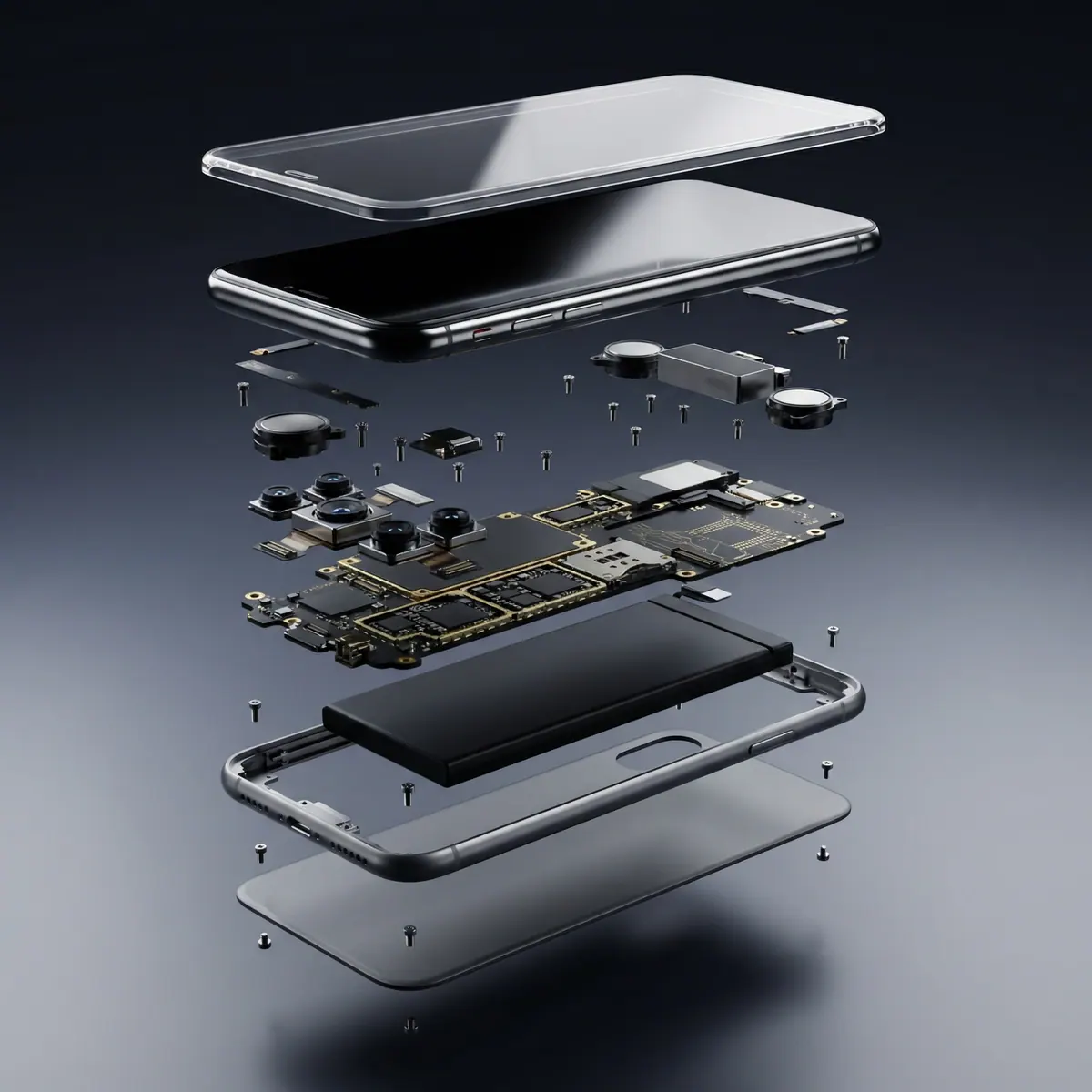
360-Degree Product Animations for E-commerce: What They Are and When They Pay Off
A 360-degree product animation is a short, smooth rotation of a product that lets shoppers see every side. It can be an auto-playing video loop or an interactive viewer the shopper drags. It helps most for products where shape, finish or back-and-side details influence the buying decision. It does not replace clear main images or honest descriptions.
360 spin, video loop or interactive viewer?
"360" covers three different things, and the difference affects cost and performance.
| Type | What the shopper sees | How it is made | Pros | Cons | |---|---|---|---|---| | Photographed spin | Series of photos on a turntable, dragged to rotate | Real product, many photos | Real texture, no 3D modeling | Needs the physical product; reflective items are hard to shoot; limited to one angle ring | | 3D rendered video loop | Smooth auto-playing rotation | 3D model rendered as video | Perfect lighting, any camera path, works as ad and page asset | Needs a model | | Interactive 3D viewer | Drag, zoom and rotate a live model | 3D model exported to web format | Shoppers control the view; can show variants | More integration work; file size and device support matter |
For many online stores, a rendered video loop is the simplest step up: it plays anywhere video plays, loads quickly and doubles as social content. Interactive viewers suit complex or high-priced products where shoppers want to inspect details. Our piece on interactive 3D product experiences covers that route.
Why 360 views can help shoppers decide
Online shoppers cannot pick a product up. A rotation partly fills the gap by answering questions such as:
- What does the back look like, and where are the ports, seams or fasteners?
- How thick or tall is it?
- Does the finish look glossy or matte from different angles?
- How do the parts fit together?
If those questions go unanswered, shoppers hesitate, message support or buy elsewhere. A rotating view does not guarantee more sales, and we do not promise a specific lift. It removes one common reason for doubt.
Which products benefit most
- Footwear, bags and accessories: shape and detail from all sides matter.
- Electronics and gadgets: ports, buttons and thickness.
- Jewelry and watches: light play on metal and stones, ideally rendered with controlled reflections.
- Cosmetics and bottles: packaging shape, label and cap details.
- Furniture and decor: form and proportions.
- Tools and equipment: features on all faces.
Flat items such as posters and simple apparel flat-lays usually do not need one.
3D rendering vs turntable photography
Turntable photography is a good fit when you have the physical product, a simple matte surface and a large catalog to shoot in bulk. 3D rendering is stronger when:
- The product is shiny, transparent or very small, and hard to light on a turntable.
- The product is not manufactured yet.
- You sell many colors or configurations from one design.
- You also want ad videos, hero shots and lifestyle scenes from the same asset.
Count the real costs on each side. Photography needs samples, studio time, retouching and reshoots when a product changes. Rendering needs a model up front, and then each new color or angle is inexpensive. See our guide to photorealistic product visualization for more on the process.
Technical best practices
1. Keep the loop seamless. The last frame should flow into the first. 2. Use a neutral, clean background unless a marketplace requires white. Check each platform's rules. 3. Rotate at a steady, moderate speed. Fast spins hide detail and feel cheap. 4. Pick sensible angles. A full horizontal turn is standard. For tall or complex items, add a slight tilt or a second pass from above. 5. Compress carefully. Aim for fast loading on mobile. For video, use H.264 or similar with a poster image. For interactive viewers, optimize the model and textures. 6. Add a poster image so the page does not look empty while the media loads. 7. Do not rely on audio. Many people browse with sound off. 8. Test on a phone. Most shopping traffic is mobile. 9. Include alt text and captions that describe the product.
Platform notes
- Shopify and similar stores: most support product videos and some support 3D models. Check your theme and the platform's current media limits.
- Marketplaces: rules for video and imagery differ and change. Confirm current requirements before you produce.
- Social and ads: a looped rotation can be cut into short vertical and square ads from the same render.
How much does a 360 product animation cost?
Cost depends on model complexity and polish. The main drivers are the length of the animation, how detailed the product model is, the number of products, any extras such as simulations or a built environment, the number of revision rounds and the deadline. A simple product spin sits at the lower end of the effort scale. If you have several products, the cost per product falls once the workflow is set. To start a custom 3D animation, go to Order Here. Every project is quoted after a short call. DM us on Instagram or book a call and we'll scope it and send a fixed quote. For more detail, see our 3D product animation cost guide.
How to know if it is working
Pick measures before you publish:
- Conversion rate and add-to-cart rate on pages with the spin versus similar pages without it.
- Return rate for those products.
- Support questions about appearance or dimensions.
- Page load speed, so the media does not slow the page.
Run the comparison long enough to gather meaningful data. Our practical framework for measuring 3D animation ROI walks through the steps.
Mistakes to avoid
- Spinning too fast. Detail disappears and the product looks cheap. A slow, steady turn lets shoppers look.
- Letting the file get heavy. A beautiful loop that takes ten seconds to load on a phone loses the shopper before it plays.
- Inaccurate color or finish. If the render differs from the real product, returns follow. Match the real item.
- Using it instead of good main images. The first image still does the main work in search results and listings.
- Forgetting the back and underside. The reason shoppers want a 360 is to see those areas, so make sure they are modeled and finished properly.
- No fallback. Provide a poster image or still for devices and browsers that cannot play the media.
Small businesses and budgets
If you have a small catalog, start with your best seller. Build the model once, render a spin, a main image set and a short ad cut, and measure. If it pays back, move to the next product. Reusing the same model for variants and campaigns spreads the initial cost.
FAQ
How do 360-degree product animations help shoppers?
They show the product from every side, which answers questions about shape, back details, thickness and finish. That reduces guesswork before buying. They work best alongside strong main images and accurate descriptions.
Is a 360 video better than an interactive 360 viewer?
Neither is better in every case. A video loop is simple, loads fast and can be reused in ads. An interactive viewer lets shoppers control the view and suits complex or higher-priced products, but needs more integration and optimization.
Can 360 product viewers work with Shopify and other platforms?
Most major platforms support product video, and some support 3D models directly or through apps. Support and limits change over time, so check your platform's current documentation before choosing a format.
What is the difference between a 360 spin and a 3D configurator?
A spin shows one fixed product rotating. A configurator lets shoppers change options, such as color, material or parts, and see the result. Configurators cost more and suit products where customization drives the purchase.
How can small businesses afford 360 product animation?
Start with one hero product and a simple rotation, using a simple custom animation. Reuse the 3D model for variants, ads and stills. Cost depends on length, model complexity, number of products, revisions and deadline, so book a call and we'll scope it and send a fixed quote.
For a 360 animation of your product, contact us with photos or CAD files. Every project is quoted after a short call. DM us on Instagram or book a call and we'll scope it and send a fixed quote.
About the author: Brett Barber, Creative Director & Founder at Animate & Create.
The global e-commerce market is projected to reach over $7 trillion by 2025.
Statista
Over 85% of consumers are more likely to purchase a product after watching a video about it.
Wyzowl
Frequently asked questions
How do 360-degree product animations help shoppers?
They show the product from every side, which answers questions about shape, back details, thickness and finish. That reduces guesswork before buying. They work best alongside strong main images and accurate descriptions. The details depend on your product and scope. Book a short call at animateandcreate.net/contact and you will get a fixed quote.
Is a 360 video better than an interactive 360 viewer?
Neither is better in every case. A video loop is simple, loads fast and can be reused in ads. An interactive viewer lets shoppers control the view and suits complex or higher-priced products, but needs more integration and optimization. The details depend on your product and scope. Book a short call at animateandcreate.net/contact and you will get a fixed quote.
Can 360 product viewers work with Shopify and other platforms?
Most major platforms support product video, and some support 3D models directly or through apps. Support and limits change over time, so check your platform's current documentation before choosing a format. The exact answer depends on your product, scope and deadline, so each project is scoped individually. Book a short call at animateandcreate.net/contact and you will get a fixed quote.
What is the difference between a 360 spin and a 3D configurator?
A spin shows one fixed product rotating. A configurator lets shoppers change options, such as color, material or parts, and see the result. Configurators cost more and suit products where customization drives the purchase. The details depend on your product and scope. Book a short call at animateandcreate.net/contact and you will get a fixed quote.
How can small businesses afford 360 product animation?
Start with one hero product and a simple rotation, using a simple custom animation. Reuse the 3D model for variants, ads and stills. Cost depends on length, model complexity, number of products, revisions and deadline, so book a call and we'll scope it and send a fixed quote.
References
- E-commerce sales worldwide from 2016 to 2026 — Statista (2022). https://www.statista.com/statistics/379046/worldwide-retail-e-commerce-sales/
- Why Video Marketing Is the Future of Content Marketing — HubSpot (2023). https://blog.hubspot.com/marketing/video-marketing
- The State of Video Marketing 2023 — Wyzowl (2023). https://www.wyzowl.com/video-marketing-statistics/
- Digital Commerce 360 — Digital Commerce 360. https://www.digitalcommerce360.com/
- How to create engaging product pages to maximize e-commerce sales — Adobe (2022). https://business.adobe.com/blog/the-latest/how-to-create-engaging-product-pages-to-maximize-ecommerce-sales.html